Roblox Beta Update 2026 – Essential Features and Latest Changes
The Roblox Beta Update 2026 is worth following if you want to explore new features, understand testing changes, or learn how Roblox improves its gaming and creation tools. Roblox regularly introduces updates to its platform, mobile experience, and Roblox Studio, with some features becoming available to selected testers before wider release.
However, not every beta feature is designed for regular players. Some updates are intended for game developers using Roblox Studio, while others may affect the player experience, interface, or performance.
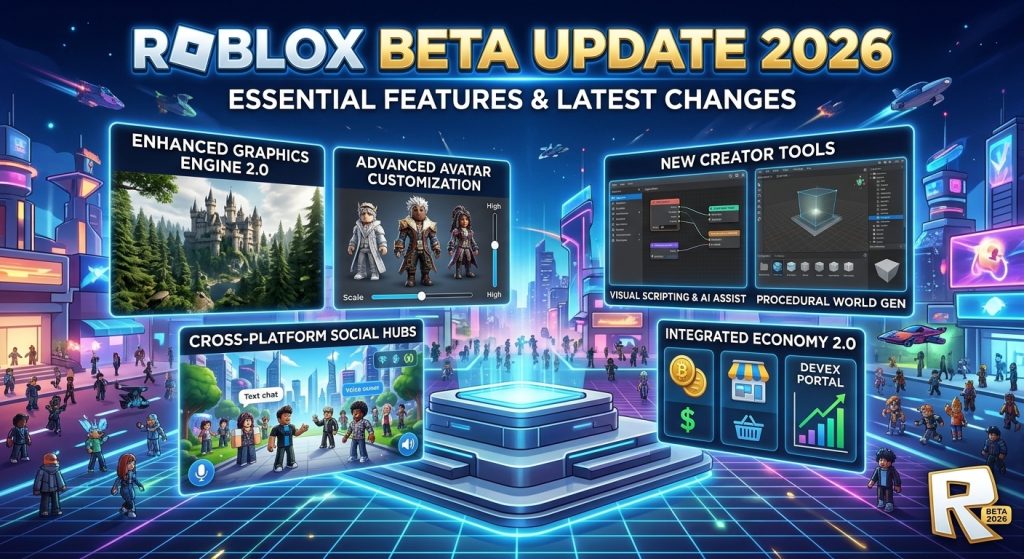
In this guide, you will learn about recent official updates, how beta features work, how to check for new releases, and how to troubleshoot common problems safely.
What Is the Roblox Beta Update 2026?
The Roblox Beta Update 2026 refers broadly to new features, experimental tools, and changes associated with Roblox testing programs during 2026.
Roblox uses beta testing to gather feedback and identify problems before certain features become generally available. Depending on the feature, access may be limited to selected users, developers, devices, or regions.
There are two important categories to understand:
- Roblox player updates: These may involve the mobile app, user interface, account experience, compatibility, or performance.
- Roblox Studio Beta updates: These introduce experimental tools and features for people who create and test Roblox experiences.
You can follow confirmed announcements through the official Roblox Creator Updates page.
Roblox Beta Update 2026: Latest Confirmed Changes
Roblox’s official update log lists several developments during 2026. The following examples concern creator tools and should not be mistaken for universal Android app features.
1. Package Overrides in Roblox Studio
Roblox announced a Studio Beta feature called Package Overrides. It allows creators to modify a package within their experience while continuing to receive updates from the original source package.
This can help developers customize reusable assets without losing the ability to benefit from source-package updates. Availability and behavior depend on the relevant Studio feature and its current implementation.
2. Improved UI Shadows
Roblox has introduced upgraded UI shadow capabilities through Studio Beta. The improvements include additional shadow effects, such as text shadows, inset shadows, and gradient fills.
These capabilities can help developers create more polished menus, interfaces, and in-game displays without relying on complicated workarounds.
3. Animation Graph Improvements
Roblox Studio Beta has introduced state machines and additional Luau expressions for animation graphs. These tools help developers manage animation transitions and perform calculations within animation workflows.
They are particularly relevant to creators who want more control over character animations and interactive experiences.
4. Better Asset Management
Roblox has continued improving asset-management tools in Studio. Updates have included ways to organize assets, browse uploaded content, and work more efficiently with project resources.
These improvements can make it easier for creators to manage models and other assets across larger projects.
5. Enhanced Development and Testing Tools
Roblox has also introduced improvements to developer workflows, including tools for testing interfaces and network conditions. Depending on the feature, creators can test how their experiences behave across devices or under different simulated network conditions.
Important: These are examples of confirmed Studio and creator-tool developments, not a promise that every feature appears in the standard Roblox Android app. Check the official Roblox update log for the latest announcements.
How to Check for Roblox Beta Updates on Android
If you play Roblox on Android, follow these steps to check whether a newer version or an official beta option is available.
Step 1: Open Google Play
Open the Google Play Store on your Android phone and search for Roblox. Make sure you select the official app published by Roblox Corporation.
Step 2: Check for an Update
Open the Roblox app listing. If an update is available, you may see an Update button. If the button says Open, an update may not currently be available for your device.
Step 3: Check Beta Availability
If Google Play offers an official beta-testing option for Roblox in your region and for your account, review the available information before joining. Beta enrollment is not guaranteed to be available to everyone.
You can check the official Roblox Google Play listing.
Step 4: Read the Available Information
Review the version details, update notes, and any testing requirements. Remember that a beta version may contain bugs or unexpected behavior.
Step 5: Install Through Official Channels
Use the official store or another distribution method explicitly provided by Roblox. Avoid unknown APK websites that promise exclusive beta access.
Roblox Beta Features vs. the Regular Version
Understanding the difference between beta testing and a standard release can help you choose the right version for your needs.
| Feature | Beta or experimental version | Regular version |
|---|---|---|
| Feature availability | May be limited | Generally available features |
| Stability | Experimental features may have bugs | Intended for normal use |
| Access | Depends on the testing program | Depends on device compatibility and supported regions |
| Feedback | Testing feedback may be requested | Feedback is optional |
| Updates | Experimental changes may arrive during testing | Follows the normal release process |
The exact differences depend on the specific feature being tested. A Roblox Studio Beta feature, for example, does not necessarily require installing a separate Roblox player app.
Common Roblox Beta Update Problems and Solutions
Sometimes an update does not install correctly, the game fails to launch, or performance becomes worse after an update. Try these troubleshooting steps.
Roblox Update Is Not Showing
Open the official app listing in Google Play and check again. Updates can roll out gradually, so different accounts or devices may not receive them simultaneously.
Roblox Beta Is Not Available
The beta option may not be offered to your account, device, or region. Do not trust websites claiming that a modified APK can unlock every restricted feature.
The App Keeps Crashing
Restart your phone and check that sufficient storage is available. You can also clear the app cache through your Android settings. Avoid clearing app data unless you understand the consequences and can sign back in.
Roblox Is Lagging After an Update
Check your internet connection, close unnecessary background apps, and lower graphics settings where available. If the problem continues, consult Roblox Support.
Installation Fails
Check your available storage, device compatibility, internet connection, and Google Play installation status. Downloading from an unofficial source can introduce security risks and may not solve the underlying issue.
For additional Roblox guides, visit RobloxBeta.pro.
Is Roblox Beta Safe to Use in 2026?
An official beta program can be a legitimate way to test new features, but experimental software may contain bugs or cause unexpected behavior.
Follow these precautions:
- Download Roblox through official distribution channels.
- Never share your password or verification codes with a third party.
- Avoid modified APKs that promise free Robux or locked features.
- Read the testing terms before joining a beta program.
- Keep your account credentials secure and use available account-security features.
- Back up important development work when appropriate.
A website using the words “Roblox Beta” in its name is not necessarily affiliated with Roblox Corporation. Verify the publisher and source before installing any software.
Frequently Asked Questions
1. What is new in Roblox Beta Update 2026?
Roblox has announced multiple updates to its creator tools and Studio Beta features during 2026, including Package Overrides, UI shadow improvements, and animation-graph enhancements. Check the official update log for current details.
2. Is Roblox Beta available for Android?
Availability depends on the official testing program, account, device, and region. Check the Roblox Google Play listing to see which options are currently offered.
3. Do I need Roblox Studio to use beta features?
No. Roblox Studio Beta features are primarily intended for creators. Regular players do not need Roblox Studio simply to play Roblox experiences.
4. Can I download Roblox Beta APK from any website?
It is safer to use official Roblox distribution channels. Unofficial APKs may be modified, outdated, or unsafe, and their claims about beta access may be misleading.
5. Will a beta update improve game performance?
Not necessarily. Some updates improve tools or fix problems, while experimental features can introduce bugs. Performance depends on the update, device, network, and individual experience.
6. Where can I find official Roblox update announcements?
Visit the Roblox Creator Updates page for development announcements and the Roblox Support website for player assistance.
Conclusion
The Roblox Beta Update 2026 covers a range of testing and development changes, but it is important to distinguish Roblox Studio features from updates intended for everyday players. Confirmed creator-tool improvements include package customization, enhanced UI shadows, animation-graph capabilities, and better development workflows.
To stay informed, follow official Roblox announcements, check Google Play for supported Android updates, and avoid unverified APK downloads. These steps can help you explore new features while protecting your device and Roblox account.