Roblox Beta Old Version 2026 – Important Facts Before Installing
Looking for a Roblox Beta Old Version 2026 for Android? Some users prefer an older app version because a recent update feels slower, causes installation errors, or behaves differently on their device. However, installing an older version does not guarantee better performance or continued access to Roblox games.
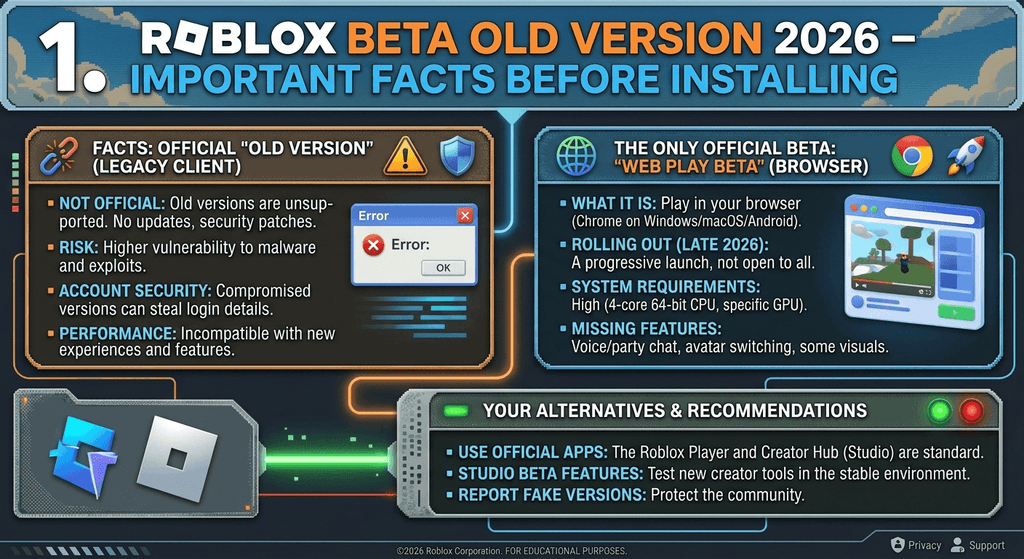
Before downloading an old APK, it is important to understand compatibility, security risks, update requirements, and the difference between the regular Roblox mobile app and Roblox Studio Beta. This guide explains the essential facts so you can make an informed decision and avoid common installation problems.
For more Roblox-related guides, visit RobloxBeta.pro.
What Is Roblox Beta Old Version 2026?
Roblox Beta Old Version 2026 generally refers to an earlier release of the Roblox Android application that users may want to install instead of the latest version.
Users might look for an older release for several reasons:
- A recent update causes crashes or performance issues.
- The current app behaves differently from an earlier version.
- Installation or update errors occur on a particular device.
- A user wants to understand changes introduced by recent releases.
- An older phone struggles to run the app smoothly.
It is important to distinguish between an older version of the regular Roblox player app and a beta version of Roblox Studio. The mobile app is used to access Roblox experiences, while Roblox Studio is a development environment for creating them. They are not interchangeable.
Why Do Users Look for an Older Roblox Version?
There are several reasons someone may consider an older release. However, each situation requires a different solution.
1. Problems After an Update
An update may introduce a bug or change how the application performs on a specific device. Some users therefore look for an earlier release that appeared more stable.
Before downgrading, try restarting the app, restarting your device, and checking for another official update. These steps may resolve temporary problems without requiring an older APK.
2. Performance on Older Android Phones
Devices with limited memory, older processors, or weaker graphics capabilities may struggle with demanding Roblox experiences.
An older app version is not guaranteed to solve this problem because individual experiences can also require substantial processing power. Reducing background activity and checking your device’s compatibility may be more useful.
3. Installation and Update Errors
Some users search for old versions when the latest release will not install. However, the cause could be insufficient storage, an outdated operating system, a Google Play issue, or device incompatibility.
Roblox’s official Android troubleshooting guide provides recommended troubleshooting steps.
4. Interest in Previous Features
Players may want to compare the interface or behavior of an older release with the current app. However, an older client may not support current server-side changes or newer features.
Important Compatibility Requirements Before Installing
Before considering any Roblox Android release, check whether your device meets the application’s requirements.
According to Roblox’s official mobile system requirements, the Android application requires:
- Android 8.0 or higher.
- Support for OpenGL ES 3.0 or higher.
- A compatible device capable of running Roblox experiences.
- A stable internet connection for online play.
These requirements describe the currently documented mobile app requirements. An older APK may have different installation requirements, but installing it does not mean the device will be able to connect to Roblox or run every experience.
To check your Android version, open Settings → About phone and look for the Android version information. Menu names may differ by manufacturer.
Is Roblox Beta Old Version 2026 Safe to Install?
The safety of an APK depends on its origin, integrity, permissions, and whether it has been modified. An APK labelled “old Roblox version” is not automatically genuine or safe.
Consider these important precautions before installing any Android application package.
Download From a Trusted Source
The safest starting point is the official Roblox website or the Roblox app on Google Play.
Avoid websites that offer modified clients, unlimited Robux, account unlocks, or features that sound too good to be true. Such downloads may expose your device or account to unnecessary risks.
Avoid Modified APK Files
Modified applications may contain unwanted code or attempt to collect sensitive information. They can also fail security checks or stop working after server-side changes.
Roblox explains its Android app integrity checks in its official Android Remote Attestation article. Some experiences require a trusted device and an unmodified application.
Protect Your Roblox Account
Never enter your Roblox password on an unfamiliar download website. Do not share verification codes or account recovery information with third parties.
If a download page asks you to disable device protections or install unrelated applications, treat that as a warning sign.
Scan Files Before Opening Them
Use your device’s built-in security features and a reputable security scanner where available. A scan can help identify some threats, but it cannot guarantee that an APK is completely safe.
What Are the Disadvantages of Using an Old Roblox APK?
Although an older release may appear attractive, it can create several problems.
Compatibility issues: The app may not work correctly with your Android version, device architecture, or current Roblox services.
Update requirements: Roblox may require a newer client before you can continue playing.
Security concerns: An outdated or modified application may lack important fixes or fail integrity checks.
Missing improvements: Older releases may not include interface improvements, bug fixes, or other changes made in later versions.
Unreliable performance: Downgrading does not guarantee fewer crashes, reduced lag, or improved frame rates.
For these reasons, an older release should not be treated as a guaranteed solution for device performance problems.
How to Fix Roblox Problems Without Installing an Old Version
If you want an older version because Roblox is crashing, lagging, or refusing to update, try these troubleshooting steps first.
Step 1: Restart Roblox
Close the application completely and open it again. If the problem continues, restart your phone.
Step 2: Check Your Internet Connection
Switch between Wi-Fi and mobile data to determine whether the issue is related to your connection. A stable connection is important because Roblox experiences operate online.
Step 3: Free Up Storage Space
Remove unnecessary files or applications if your phone is running low on storage. Restart the device after freeing space if installation problems continue.
Step 4: Update Android
Open your phone’s system update settings and install any available compatible updates. An outdated operating system may cause application compatibility issues.
Step 5: Clear the App Cache
On many Android devices, you can open Settings, select Apps, choose Roblox, and open Storage. If available, select Clear cache.
Avoid selecting Clear data unless you understand the consequences. You may need to sign in again, so make sure you know your login details.
Step 6: Reinstall the Official Application
If other troubleshooting steps fail, uninstall Roblox and reinstall it from Google Play or another official distribution channel supported by your device.
Make sure you can access your account before reinstalling.
Step 7: Contact Roblox Support
If the problem continues, contact Roblox Support. Include your device model, Android version, the error message, and the steps that cause the issue.
Roblox Beta Old Version vs Latest Version
| Feature | Older version | Latest official version |
|---|---|---|
| Updates | May lack newer fixes | Receives supported updates |
| Compatibility | May fail with current services | Intended for current supported environments |
| Security | Depends on the specific build and source | Official releases are the recommended option |
| New features | May not include recent changes | More likely to include current changes |
| Reliability | Not guaranteed | Generally the better starting point for troubleshooting |
The comparison is general. The actual behavior depends on the specific release, device, and Roblox services.
Frequently Asked Questions
1. Can I use Roblox Beta Old Version 2026 on Android?
It depends on the particular release, your device, and Roblox’s current compatibility requirements. An older APK may install but still fail to connect or launch some experiences.
2. Will an older Roblox version reduce lag?
Not necessarily. Lag can be caused by network problems, limited device resources, or a demanding Roblox experience. Downgrading the app does not guarantee better performance.
3. Can an old Roblox APK still connect to the servers?
It may work in some circumstances, but Roblox can require a newer client or apply security checks that prevent older or modified versions from working.
4. Is an old Roblox APK better for low-end phones?
Not always. Device hardware, operating system compatibility, available memory, and the individual experience all affect performance. Check Roblox’s official system requirements before changing versions.
5. Is Roblox Beta the same as Roblox Studio Beta?
No. The Roblox mobile app is primarily for playing experiences. Roblox Studio is a creation tool, and its beta features relate to development rather than replacing the regular mobile player app.
6. What should I do if the latest Roblox update does not work?
Restart the app and device, check your connection and storage, install compatible system updates, and reinstall the official app if needed. If the issue remains, contact Roblox Support.
Conclusion
Roblox Beta Old Version 2026 may interest users who experience update problems or prefer an earlier app release. However, older versions can introduce compatibility issues, security concerns, and connection errors, so downloading an old APK is not always the best solution.
Before installing anything, check your Android version, understand the risks of unofficial files, and try the recommended troubleshooting steps. For the most reliable starting point, use Roblox’s official download channels and support resources.
For more Roblox installation guides, troubleshooting advice, and app information, visit RobloxBeta.pro.