Roblox Beta Guide for Beginners – Setup and Common Questions
Roblox offers a huge collection of interactive games, social experiences, and creative activities. If you are searching for a Roblox Beta Guide , you may want to test new app features, explore a game before its full release, or understand how beta testing works. Before getting started, it is important to know which type of beta you want to access.
A Roblox app beta may provide early access to experimental features, while a game beta allows players to try an individual experience that its creator is still developing. Both can offer something new, but availability depends on the program, platform, and developer.
This guide explains the basic setup process, common issues, safety tips, and frequently asked questions so beginners can get started with confidence.
What Is Roblox Beta?
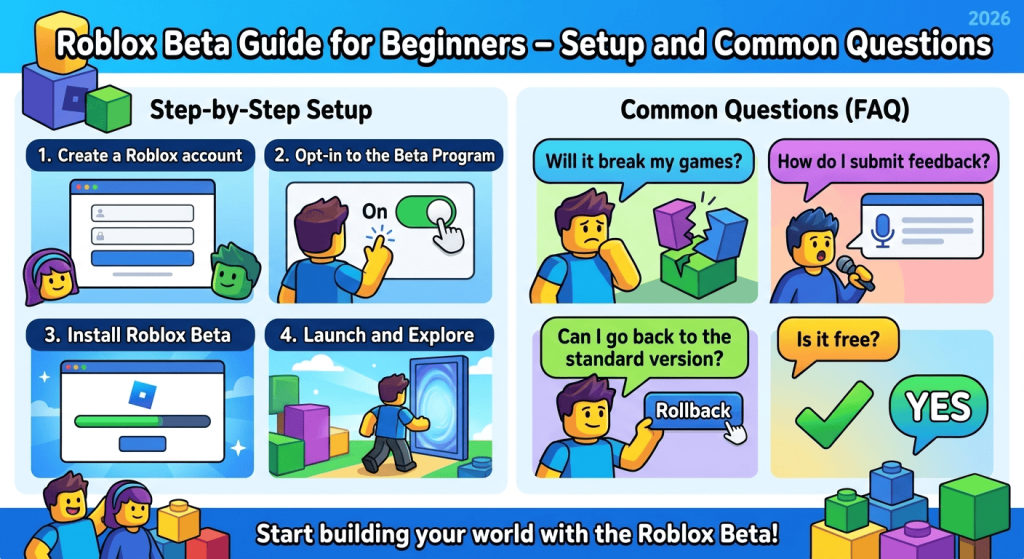
Roblox Beta generally refers to an early or experimental version of an app, feature, or game. However, the term can describe different testing arrangements.
Here are the main possibilities:
- App beta: An eligible user tests an experimental version of an application.
- Game beta: A developer allows selected players or the public to test an unfinished Roblox experience.
- Feature testing: Roblox may test a new interface or feature with a limited group of users.
Beta testing helps developers discover bugs, collect feedback, and improve the experience before a wider release. Because these versions are still being tested, they may contain glitches, incomplete features, or performance problems.
For more details about game testing, read the official Roblox Creator Hub guide to beta testing experiences.
How to Set Up Roblox Beta
The setup process depends on whether you want to test the Roblox application or play a game that is in beta.
1. Install the Official Roblox App
First, install Roblox from a trusted source that supports your device.
- Android: Roblox on Google Play
- Windows and Mac: Visit the official Roblox website.
- Other supported devices: Check the relevant official app store or Roblox support resources.
If you are new to Roblox, create an account and sign in using your own credentials. Keep your password private and enable available account security features.
Avoid unofficial installers that promise unlimited Robux, special account access, or guaranteed entry into a beta program.
2. Check Whether an App Beta Is Available
If you are using Android, open Google Play and search for Roblox. Check the app listing for a beta enrollment option, if one is offered.
Google Play generally allows users to join an app beta through the app’s store listing or the Manage apps and device section. However, this option appears only when the developer offers an available beta program. If no enrollment option is shown, you cannot assume that a public beta is currently available.
You can follow Google Play’s official beta-program instructions for the latest steps.
3. Join a Roblox Game Beta
Some Roblox developers invite players to test experiences before their full release. Depending on the developer’s settings, access may be open to everyone, limited to selected users, or restricted to members of a particular Roblox group.
To get started:
- Open the official Roblox website or app.
- Find the game you want to test.
- Read its description and look for a beta label or testing announcement.
- Check the developer’s official instructions for access requirements.
- Join the experience if your account is eligible.
A game marked as beta does not automatically mean you need to install a separate Roblox application. In many cases, you can access it through the regular Roblox platform.
4. Check Your Device and Internet Connection
Before launching a beta experience, make sure your device meets the game’s requirements. Close unnecessary background applications, update Roblox through an official source, and use a stable internet connection.
Some beta experiences may perform differently from finished games because their creators are still improving performance.
Roblox Beta Features and Benefits
The features available depend on the specific beta program or game. You should not expect every beta to offer the same benefits.
Early Access to Experimental Features
Some testing programs allow participants to try new interfaces or functionality before a broader release. This can help users understand upcoming changes and provide feedback.
Opportunity to Test New Games
Game betas allow players to explore unfinished experiences and discover mechanics before the developers complete the full release.
Ability to Report Bugs
Beta testers can help creators identify problems such as broken quests, confusing menus, missing rewards, and performance issues.
A Chance to Influence Improvements
Developers may use player feedback to prioritize changes. However, there is no guarantee that every suggestion will be implemented.
Common Roblox Beta Problems and Fixes
Beginners may experience installation errors, access restrictions, crashes, or connection issues. Try these troubleshooting steps before reinstalling the application.
Roblox Beta Is Not Available
If you cannot find a beta enrollment option, the program may not be publicly available, may have reached its participant limit, or may not support your device.
What to do: Check the official app listing or developer announcement. Do not download a file from an unknown website simply because it claims to unlock beta access.
The Game Says You Do Not Have Permission
Some beta games use restricted access settings. You may need an invitation, a particular group role, or permission from the creator.
What to do: Review the game’s official instructions and confirm that your Roblox account meets the requirements.
Roblox Crashes or Freezes
Experimental features and unfinished games may contain bugs. Crashes can also result from outdated software, insufficient device resources, or connection problems.
What to do:
- Restart Roblox and your device.
- Install available official updates.
- Close unnecessary applications.
- Check whether the problem affects one game or the entire platform.
- Review the Roblox Support website for troubleshooting advice.
Roblox Will Not Install
Check your available storage, operating system compatibility, and internet connection. If you are installing through an app store, make sure the download has completed properly.
If the issue continues, remove the problematic installation and reinstall Roblox from an official source, following the platform’s instructions.
The Beta Experience Has Bugs
A beta game may contain incomplete content or unexpected behavior. Some issues can only be fixed by the developer.
What to do: Report the problem through the developer’s designated feedback channel. Include a clear description of what happened and the steps that caused it. Never share your password or private account information in a bug report.
Roblox Beta Safety Tips for Beginners
Safety matters when trying experimental software or unfamiliar games. Follow these practical precautions:
- Use official sources: Download Roblox through its official website or a trusted app store.
- Protect your account: Never share your password or verification codes.
- Avoid suspicious downloads: A website promising a special beta APK may distribute modified or unsafe software.
- Check permissions: Be cautious if an unofficial installer requests unnecessary access to your device.
- Understand beta limitations: Experimental versions may be unstable and may not provide a smooth gaming experience.
- Protect personal information: Avoid sharing your real address, phone number, or other private details with strangers.
- Review purchases carefully: Check the price and terms before spending Robux or making an in-game purchase.
Parents and younger players should also review account privacy settings and use Roblox’s available safety features.
Frequently Asked Questions About Roblox Beta
1. Is Roblox Beta a separate game?
Not necessarily. Roblox app beta testing involves an application or its features, while a game beta refers to an individual experience created on the Roblox platform. Many beta games can be played through the standard Roblox app.
2. Is Roblox Beta free?
The cost depends on the particular program or experience. Installing the standard Roblox app is generally free, but individual experiences may have access requirements or paid features. Always check the official listing before proceeding.
3. Can I download Roblox Beta APK?
Only download Android applications from trusted, official sources. If an official beta enrollment option is available through Google Play, follow its instructions. Avoid third-party APKs claiming to provide special access or unlimited Robux.
4. Why can’t I join a Roblox beta game?
The developer may have restricted access to selected testers, Roblox group members, or invited accounts. Read the game’s description and follow the developer’s official access instructions.
5. Can Roblox Beta cause errors?
Yes. Experimental software and unfinished experiences can contain bugs, crashes, and performance issues. Updating the app, restarting your device, and reporting reproducible problems may help.
6. Can I leave an app beta program?
If you joined through Google Play, you can generally open the app’s store listing and select the option to leave the beta, when available. Follow the store’s instructions for returning to the public version. Before uninstalling an app, check whether any local data could be lost.
7. Is Roblox Beta safe for beginners?
It can be safe when accessed through official channels and used with appropriate account security. However, experimental features may be unstable, and unofficial beta downloads can present security risks.
Conclusion
This Roblox Beta Guide for Beginners explains how to distinguish app testing from game testing, check beta availability, set up Roblox through official sources, and troubleshoot common problems. The most important step is to identify the specific beta you want to access before downloading anything.
Start with the official Roblox app, follow the developer’s access requirements, and keep your account secure. If a beta option is unavailable, wait for an official announcement rather than relying on unofficial downloads. With these precautions, you can explore Roblox’s testing experiences more confidently.